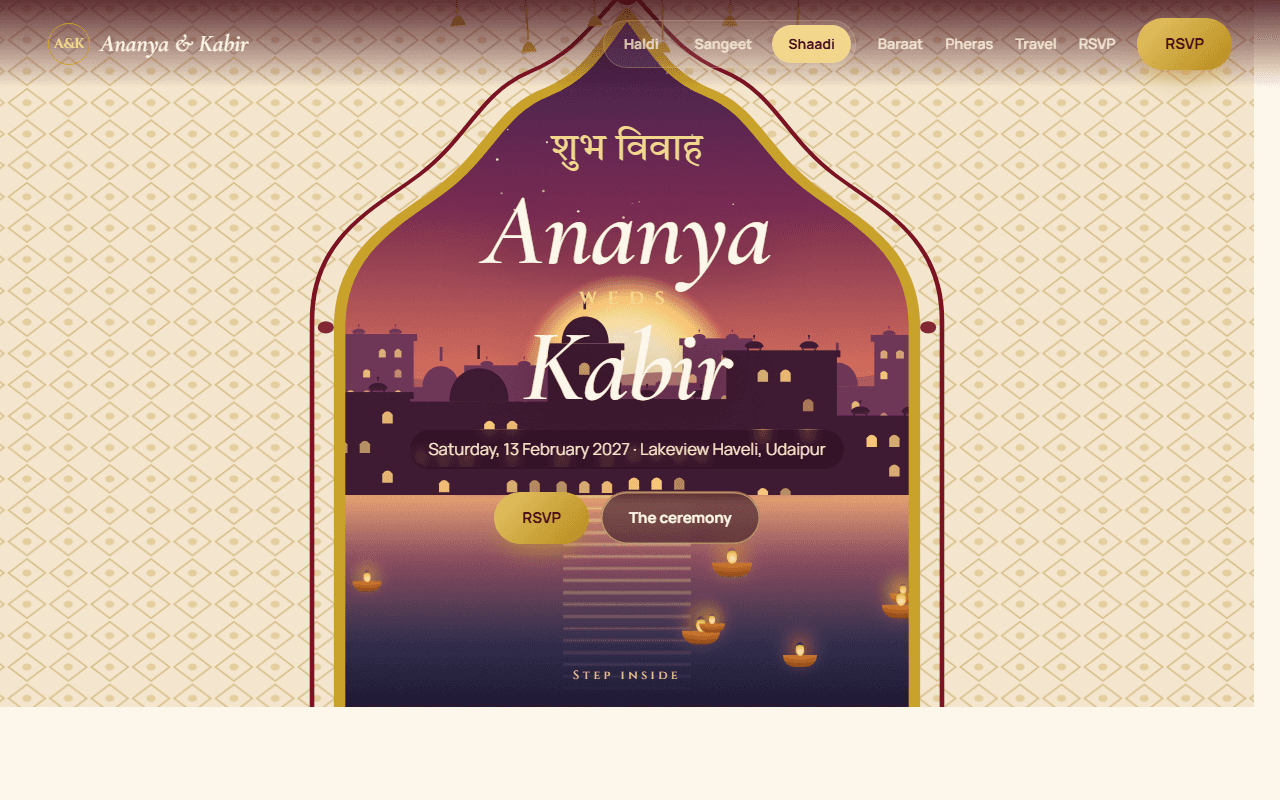
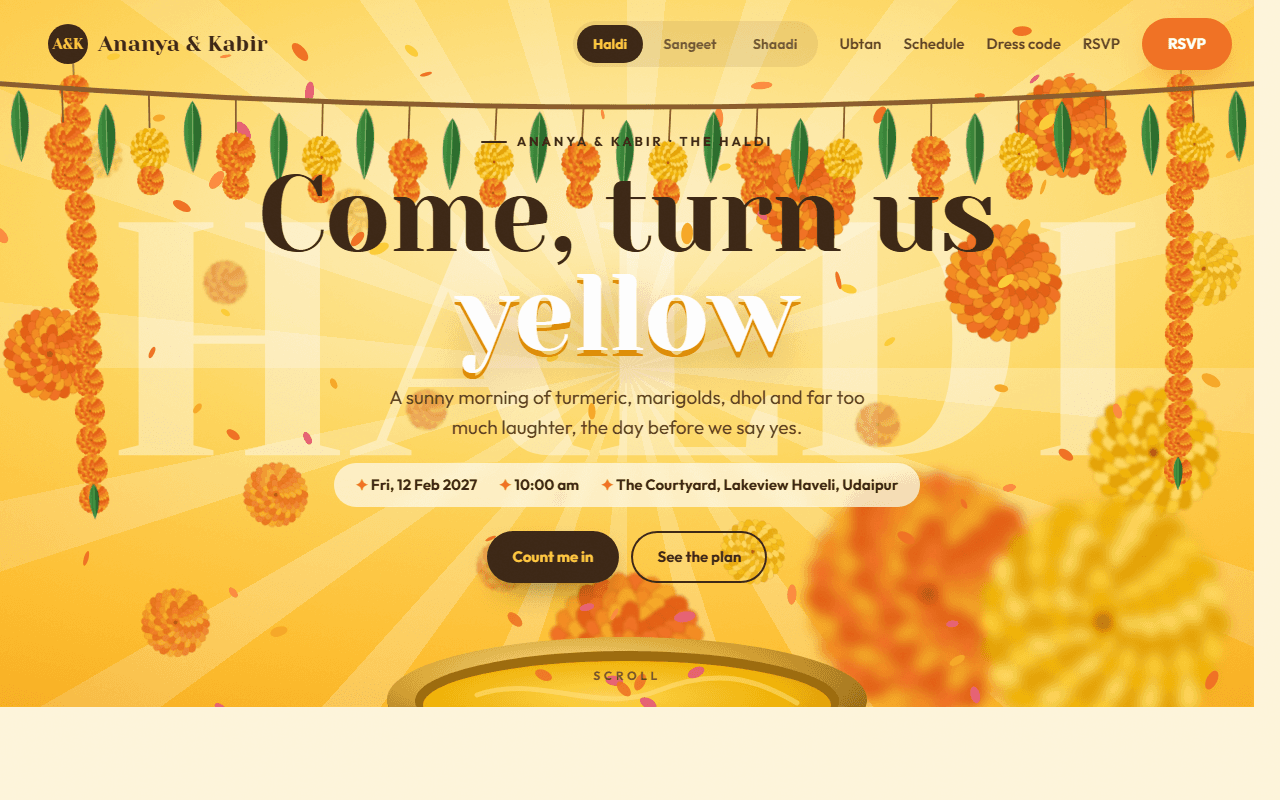
Sangeet Night Website
A glamorous sangeet night website: velvet curtains open on a stage of lights and a disco ball, the family performance line-up slides sideways, a dhol scene builds the beat, plus song requests and an RSVP.
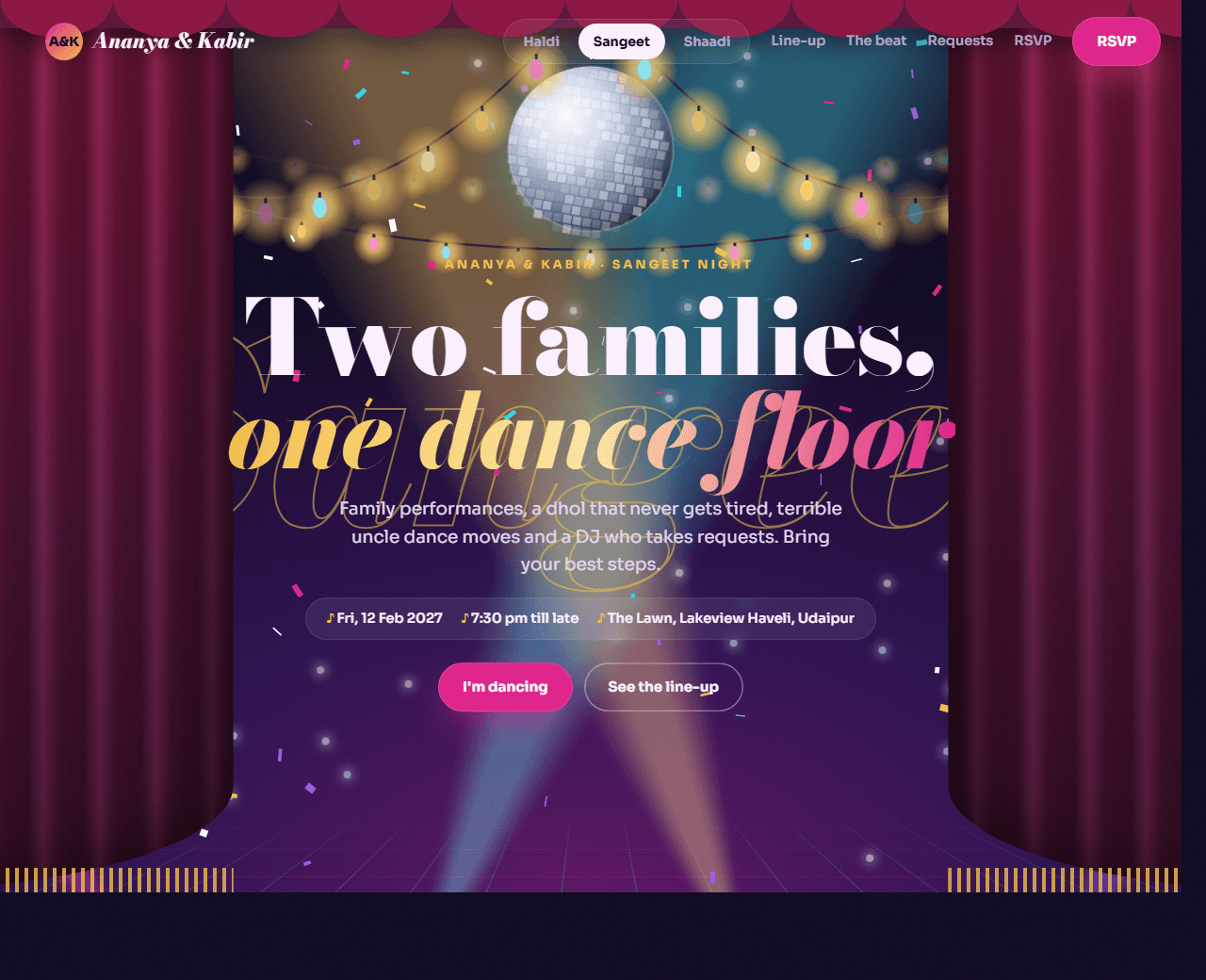
Example of the website this prompt builds. Your result will use your own name, text and images. Open the live version, built from these exact prompts.
- Tech stack
- HTML, CSS, GSAP ScrollTrigger & Lenis
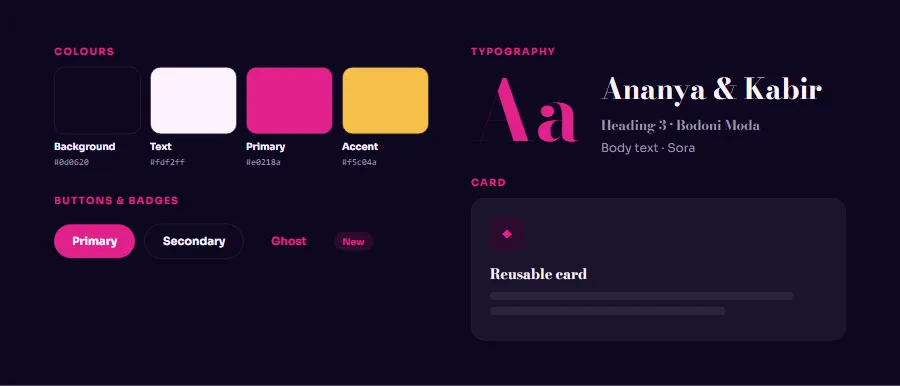
- Colour palette
#0d0620#fdf2ff#e0218a#f5c04a
- What it builds
- Navbar with event switcher
- Stage hero with curtains
- Intro with event pass
- Performance line-up
- Dhol beat scene
- Mehendi corner
- Song requests
- Dress code & running order
- RSVP with countdown
- Footer
Build the whole website step by step
16 prompts, in order. Paste step 1 into Claude, ChatGPT, Cursor or any AI coding tool, wait until that part works, then paste the next one in the same chat. Each step builds one piece: the project setup, every section of the home page, the extra pages a real Wedding & Events website needs, and finally polish, SEO and launch. Type your business name and colours in "Make it yours" first and every prompt updates for you. Tick off steps as you go; your progress is saved in this browser.
Make it yours
Fill in your own details and every prompt below updates, so you don't have to edit them by hand. All fields are optional.
Setup1 step
Set up the project and design systemUp next
A clean HTML file with CSS variables, fonts and base styles, ready for sections.
Copy step 1, paste it into your AI tool in the same chat, and you will get a result like the preview.
Show the prompt for step 1
Build a one-page sangeet night website for a couple called "Ananya & Kabir": Friday 12 February 2027, 7:30 pm till late, on the lawn of "Lakeview Haveli", Udaipur.

We will build this step by step. In this first step, ONLY set up the project and the design system — do not build any page sections yet.

Tech stack: one HTML file with inline CSS and JavaScript. Load GSAP 3.12.5 and ScrollTrigger from cdnjs and Lenis 1.1.13 from jsDelivr, and connect them (lenis.on("scroll", ScrollTrigger.update); gsap.ticker.add(t => lenis.raf(t * 1000)); gsap.ticker.lagSmoothing(0)). Use gsap.matchMedia so phones get lighter versions without pinning.

Visual style: a glamorous night party. Deep night background (#0d0620) with plum (#2a0f4f), light lilac text (#fdf2ff), hot magenta (#e0218a) for buttons and glows, gold (#f5c04a) for highlights and cyan (#36d6e7) as a small accent. Fonts: Bodoni Moda (black and italic) for headings and Sora for body. Soft glows and a light film grain.

Do the following:
1. Create one index.html file with a <style> block and a <script> block at the end.
2. Define the colour palette (#0d0620, #fdf2ff, #e0218a, #f5c04a) as CSS custom properties on :root with clear names, plus spacing and radius variables.
3. Load at most two Google Fonts and set the base typography scale (h1–h4, body, small).
4. Add base styles: box-sizing reset, a .container class, .btn variants (primary, secondary), .card, and a .section spacing class.
5. Add empty, clearly commented placeholders for these sections in order: Navbar with event switcher, Stage hero with curtains, Intro with event pass, Performance line-up, Dhol beat scene, Mehendi corner, Song requests, Dress code & running order, RSVP with countdown, Footer.

Explain briefly what each file does. Keep the code clean and commented.
Home page11 steps
Navbar with event switcher
Monogram "A&K", a pill switcher with links to the Haldi, Sangeet and Shaadi pages (Sangeet active), section links and…

Copy step 2, paste it into your AI tool in the same chat, and you will get a result like the preview, in your own colours and content.
Show the prompt for step 2
Project recap: we are building Ananya & Kabir — A glamorous sangeet night website: velvet curtains open on a stage of lights and a disco ball, the family performance line-up slides sideways, a dhol scene builds the beat, plus song requests and an RSVP. Stack: HTML, CSS, GSAP ScrollTrigger & Lenis. Keep using the design system, colours, fonts and components we already created; do not rewrite earlier sections.

Now build ONLY section 1 of 10: Navbar with event switcher.

Requirements:
monogram "A&K", a pill switcher with links to the Haldi, Sangeet and Shaadi pages (Sangeet active), section links and a magenta "RSVP" button.

Fill in the "Navbar with event switcher" placeholder in index.html. Put its CSS next to the other section styles and any JavaScript in the existing <script> block.

Rules:
- Use only the existing design tokens and UI components; add new tokens only if truly needed and tell me.
- Mobile-first and responsive at 375px, 768px and 1200px+.
- Accessible: semantic elements, correct heading level (only the hero uses h1), alt text, keyboard focus styles, labels on any form fields.
- Realistic sample content for Ananya & Kabir (no lorem ipsum).
- Show me the complete code for every file you create or change.
Stage hero with curtains
A scalloped valance at the top, two velvet curtains (CSS folds with a gold fringe), four coloured spotlight beams…
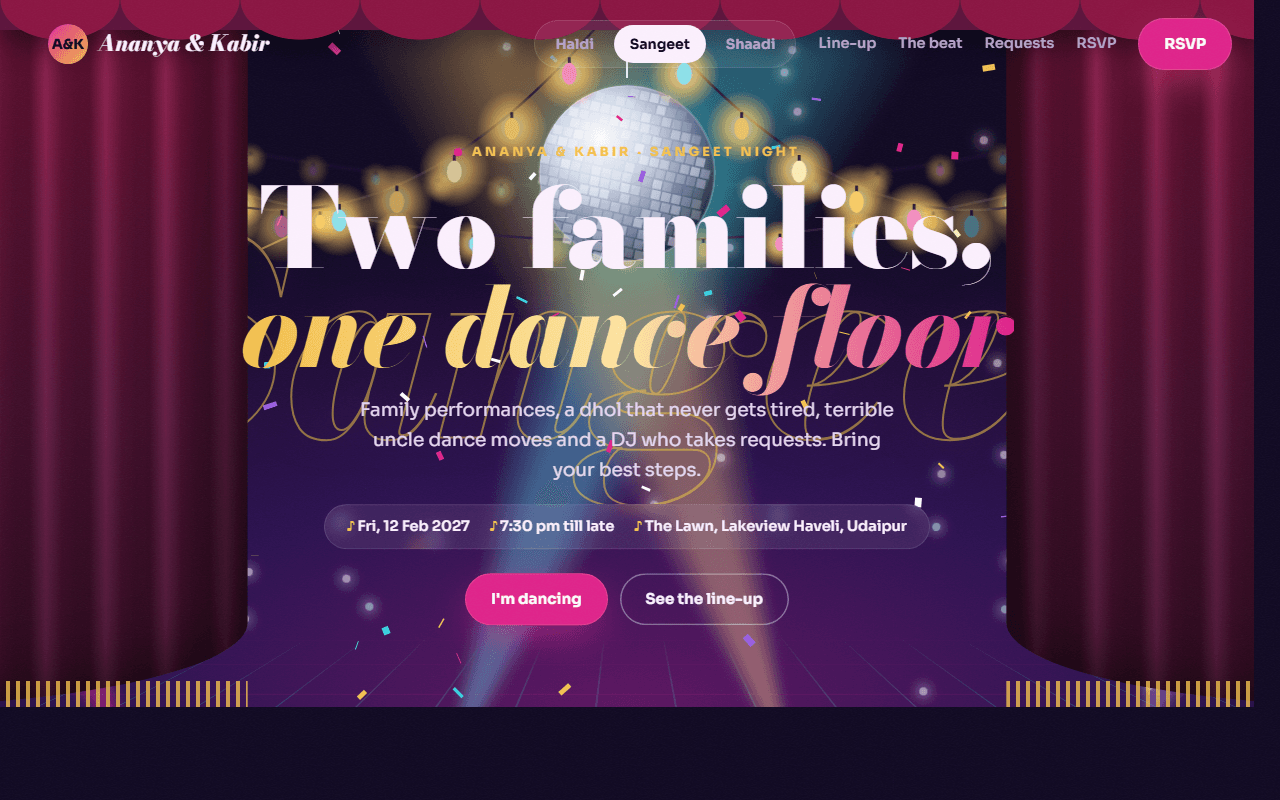
Copy step 3, paste it into your AI tool in the same chat, and you will get a result like the preview, in your own colours and content.
Show the prompt for step 3
Project recap: we are building Ananya & Kabir — A glamorous sangeet night website: velvet curtains open on a stage of lights and a disco ball, the family performance line-up slides sideways, a dhol scene builds the beat, plus song requests and an RSVP. Stack: HTML, CSS, GSAP ScrollTrigger & Lenis. Keep using the design system, colours, fonts and components we already created; do not rewrite earlier sections.

Now build ONLY section 2 of 10: Stage hero with curtains.

Requirements:
a scalloped valance at the top, two velvet curtains (CSS folds with a gold fringe), four coloured spotlight beams sweeping from the floor, a perspective neon floor grid, a giant outlined italic "Sangeet", an SVG disco ball with light spots turning around the room, three rows of string lights with glowing bulbs at different depths, and canvas confetti. Headline "Two families, one dance floor", date, venue and two buttons.

Fill in the "Stage hero with curtains" placeholder in index.html. Put its CSS next to the other section styles and any JavaScript in the existing <script> block.

Rules:
- Use only the existing design tokens and UI components; add new tokens only if truly needed and tell me.
- Mobile-first and responsive at 375px, 768px and 1200px+.
- Accessible: semantic elements, correct heading level (only the hero uses h1), alt text, keyboard focus styles, labels on any form fields.
- Realistic sample content for Ananya & Kabir (no lorem ipsum).
- Show me the complete code for every file you create or change.
Intro with event pass
A paragraph, three count-up stats (performances, guests dancing, surprise acts) and a tilted ticket-style "Sangeet…

Copy step 4, paste it into your AI tool in the same chat, and you will get a result like the preview, in your own colours and content.
Show the prompt for step 4
Project recap: we are building Ananya & Kabir — A glamorous sangeet night website: velvet curtains open on a stage of lights and a disco ball, the family performance line-up slides sideways, a dhol scene builds the beat, plus song requests and an RSVP. Stack: HTML, CSS, GSAP ScrollTrigger & Lenis. Keep using the design system, colours, fonts and components we already created; do not rewrite earlier sections.

Now build ONLY section 3 of 10: Intro with event pass.

Requirements:
a paragraph, three count-up stats (performances, guests dancing, surprise acts) and a tilted ticket-style "Sangeet pass" with a barcode.

Fill in the "Intro with event pass" placeholder in index.html. Put its CSS next to the other section styles and any JavaScript in the existing <script> block.

Rules:
- Use only the existing design tokens and UI components; add new tokens only if truly needed and tell me.
- Mobile-first and responsive at 375px, 768px and 1200px+.
- Accessible: semantic elements, correct heading level (only the hero uses h1), alt text, keyboard focus styles, labels on any form fields.
- Realistic sample content for Ananya & Kabir (no lorem ipsum).
- Show me the complete code for every file you create or change.
Performance line-up
Eight act cards (team badge, big italic number, a spotlight cone, an animated equalizer, time, title and a one-line…

Copy step 5, paste it into your AI tool in the same chat, and you will get a result like the preview, in your own colours and content.
Show the prompt for step 5
Project recap: we are building Ananya & Kabir — A glamorous sangeet night website: velvet curtains open on a stage of lights and a disco ball, the family performance line-up slides sideways, a dhol scene builds the beat, plus song requests and an RSVP. Stack: HTML, CSS, GSAP ScrollTrigger & Lenis. Keep using the design system, colours, fonts and components we already created; do not rewrite earlier sections.

Now build ONLY section 4 of 10: Performance line-up.

Requirements:
eight act cards (team badge, big italic number, a spotlight cone, an animated equalizer, time, title and a one-line description), for example the bridesmaids' Bollywood medley, the cousins' bhangra battle, the parents' romantic number and the couple's first dance.

Fill in the "Performance line-up" placeholder in index.html. Put its CSS next to the other section styles and any JavaScript in the existing <script> block.

Rules:
- Use only the existing design tokens and UI components; add new tokens only if truly needed and tell me.
- Mobile-first and responsive at 375px, 768px and 1200px+.
- Accessible: semantic elements, correct heading level (only the hero uses h1), alt text, keyboard focus styles, labels on any form fields.
- Realistic sample content for Ananya & Kabir (no lorem ipsum).
- Show me the complete code for every file you create or change.
Dhol beat scene
An SVG dhol with ropes and two sticks, glowing rings around it, a large BPM counter, the current phase (Warm-up,…

Copy step 6, paste it into your AI tool in the same chat, and you will get a result like the preview, in your own colours and content.
Show the prompt for step 6
Project recap: we are building Ananya & Kabir — A glamorous sangeet night website: velvet curtains open on a stage of lights and a disco ball, the family performance line-up slides sideways, a dhol scene builds the beat, plus song requests and an RSVP. Stack: HTML, CSS, GSAP ScrollTrigger & Lenis. Keep using the design system, colours, fonts and components we already created; do not rewrite earlier sections.

Now build ONLY section 5 of 10: Dhol beat scene.

Requirements:
an SVG dhol with ropes and two sticks, glowing rings around it, a large BPM counter, the current phase (Warm-up, Family acts, Bhangra, Open floor) with a description, a 34-bar equalizer and phase chips.

Fill in the "Dhol beat scene" placeholder in index.html. Put its CSS next to the other section styles and any JavaScript in the existing <script> block.

Rules:
- Use only the existing design tokens and UI components; add new tokens only if truly needed and tell me.
- Mobile-first and responsive at 375px, 768px and 1200px+.
- Accessible: semantic elements, correct heading level (only the hero uses h1), alt text, keyboard focus styles, labels on any form fields.
- Realistic sample content for Ananya & Kabir (no lorem ipsum).
- Show me the complete code for every file you create or change.
Mehendi corner
A henna photo in an arched frame with gold paisley line art around it, a paragraph and three time slots.

Copy step 7, paste it into your AI tool in the same chat, and you will get a result like the preview, in your own colours and content.
Show the prompt for step 7
Project recap: we are building Ananya & Kabir — A glamorous sangeet night website: velvet curtains open on a stage of lights and a disco ball, the family performance line-up slides sideways, a dhol scene builds the beat, plus song requests and an RSVP. Stack: HTML, CSS, GSAP ScrollTrigger & Lenis. Keep using the design system, colours, fonts and components we already created; do not rewrite earlier sections.

Now build ONLY section 6 of 10: Mehendi corner.

Requirements:
a henna photo in an arched frame with gold paisley line art around it, a paragraph and three time slots.

Fill in the "Mehendi corner" placeholder in index.html. Put its CSS next to the other section styles and any JavaScript in the existing <script> block.

Rules:
- Use only the existing design tokens and UI components; add new tokens only if truly needed and tell me.
- Mobile-first and responsive at 375px, 768px and 1200px+.
- Accessible: semantic elements, correct heading level (only the hero uses h1), alt text, keyboard focus styles, labels on any form fields.
- Realistic sample content for Ananya & Kabir (no lorem ipsum).
- Show me the complete code for every file you create or change.
Song requests
A form with a song name field and vibe chips (Bollywood, Bhangra, Garba, Retro, Slow dance) that adds the song to a…

Copy step 8, paste it into your AI tool in the same chat, and you will get a result like the preview, in your own colours and content.
Show the prompt for step 8
Project recap: we are building Ananya & Kabir — A glamorous sangeet night website: velvet curtains open on a stage of lights and a disco ball, the family performance line-up slides sideways, a dhol scene builds the beat, plus song requests and an RSVP. Stack: HTML, CSS, GSAP ScrollTrigger & Lenis. Keep using the design system, colours, fonts and components we already created; do not rewrite earlier sections.

Now build ONLY section 7 of 10: Song requests.

Requirements:
a form with a song name field and vibe chips (Bollywood, Bhangra, Garba, Retro, Slow dance) that adds the song to a numbered request list on the page.

Fill in the "Song requests" placeholder in index.html. Put its CSS next to the other section styles and any JavaScript in the existing <script> block.

Rules:
- Use only the existing design tokens and UI components; add new tokens only if truly needed and tell me.
- Mobile-first and responsive at 375px, 768px and 1200px+.
- Accessible: semantic elements, correct heading level (only the hero uses h1), alt text, keyboard focus styles, labels on any form fields.
- Realistic sample content for Ananya & Kabir (no lorem ipsum).
- Show me the complete code for every file you create or change.
Dress code & running order
Four jewel-tone swatches (emerald, ruby, sapphire, gold) and a four-step agenda.

Copy step 9, paste it into your AI tool in the same chat, and you will get a result like the preview, in your own colours and content.
Show the prompt for step 9
Project recap: we are building Ananya & Kabir — A glamorous sangeet night website: velvet curtains open on a stage of lights and a disco ball, the family performance line-up slides sideways, a dhol scene builds the beat, plus song requests and an RSVP. Stack: HTML, CSS, GSAP ScrollTrigger & Lenis. Keep using the design system, colours, fonts and components we already created; do not rewrite earlier sections.

Now build ONLY section 8 of 10: Dress code & running order.

Requirements:
four jewel-tone swatches (emerald, ruby, sapphire, gold) and a four-step agenda.

Fill in the "Dress code & running order" placeholder in index.html. Put its CSS next to the other section styles and any JavaScript in the existing <script> block.

Rules:
- Use only the existing design tokens and UI components; add new tokens only if truly needed and tell me.
- Mobile-first and responsive at 375px, 768px and 1200px+.
- Accessible: semantic elements, correct heading level (only the hero uses h1), alt text, keyboard focus styles, labels on any form fields.
- Realistic sample content for Ananya & Kabir (no lorem ipsum).
- Show me the complete code for every file you create or change.
RSVP with countdown
A live countdown, venue card and a form (name, phone, guests, side, "I'm performing" checkbox, act name, note) that…

Copy step 10, paste it into your AI tool in the same chat, and you will get a result like the preview, in your own colours and content.
Show the prompt for step 10
Project recap: we are building Ananya & Kabir — A glamorous sangeet night website: velvet curtains open on a stage of lights and a disco ball, the family performance line-up slides sideways, a dhol scene builds the beat, plus song requests and an RSVP. Stack: HTML, CSS, GSAP ScrollTrigger & Lenis. Keep using the design system, colours, fonts and components we already created; do not rewrite earlier sections.

Now build ONLY section 9 of 10: RSVP with countdown.

Requirements:
a live countdown, venue card and a form (name, phone, guests, side, "I'm performing" checkbox, act name, note) that validates and shows a message.

Fill in the "RSVP with countdown" placeholder in index.html. Put its CSS next to the other section styles and any JavaScript in the existing <script> block.

Rules:
- Use only the existing design tokens and UI components; add new tokens only if truly needed and tell me.
- Mobile-first and responsive at 375px, 768px and 1200px+.
- Accessible: semantic elements, correct heading level (only the hero uses h1), alt text, keyboard focus styles, labels on any form fields.
- Realistic sample content for Ananya & Kabir (no lorem ipsum).
- Show me the complete code for every file you create or change.
Footer
Two cards linking to the Haldi and Shaadi pages and a giant outlined "Sangeet" with a pink glow.

Copy step 11, paste it into your AI tool in the same chat, and you will get a result like the preview, in your own colours and content.
Show the prompt for step 11
Project recap: we are building Ananya & Kabir — A glamorous sangeet night website: velvet curtains open on a stage of lights and a disco ball, the family performance line-up slides sideways, a dhol scene builds the beat, plus song requests and an RSVP. Stack: HTML, CSS, GSAP ScrollTrigger & Lenis. Keep using the design system, colours, fonts and components we already created; do not rewrite earlier sections.

Now build ONLY section 10 of 10: Footer.

Requirements:
two cards linking to the Haldi and Shaadi pages and a giant outlined "Sangeet" with a pink glow.

Fill in the "Footer" placeholder in index.html. Put its CSS next to the other section styles and any JavaScript in the existing <script> block.

Rules:
- Use only the existing design tokens and UI components; add new tokens only if truly needed and tell me.
- Mobile-first and responsive at 375px, 768px and 1200px+.
- Accessible: semantic elements, correct heading level (only the hero uses h1), alt text, keyboard focus styles, labels on any form fields.
- Realistic sample content for Ananya & Kabir (no lorem ipsum).
- Show me the complete code for every file you create or change.
Interactions and animation
Hover states, scroll reveals and any interactive behaviour, without hurting performance.
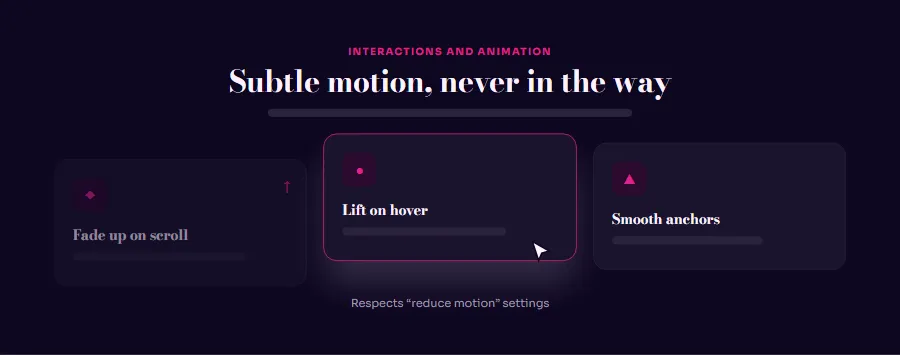
Copy step 12, paste it into your AI tool in the same chat, and you will get a result like the preview, in your own colours and content.
Show the prompt for step 12
Project recap: we are building Ananya & Kabir — A glamorous sangeet night website: velvet curtains open on a stage of lights and a disco ball, the family performance line-up slides sideways, a dhol scene builds the beat, plus song requests and an RSVP. Stack: HTML, CSS, GSAP ScrollTrigger & Lenis. Keep using the design system, colours, fonts and components we already created; do not rewrite earlier sections.

All sections are built. Now add the interactions and animation layer.

Required behaviour:
on load the curtains settle and the Sangeet letters flicker on like neon. The hero is pinned for 130% and scrolling opens the curtains fully, spreads the letters, moves each row of lights at its own speed and fades the copy. The line-up is pinned and scrolls sideways, with each card rotating as it crosses the screen. The dhol scene is pinned for about 220%: the sticks strike, rings pulse out, the BPM counts from 72 to 148, the phase changes every quarter and the equalizer grows. The mehendi photo is revealed by a growing circle while the paisleys draw themselves. Under prefers-reduced-motion show every scene in its final state.

Also:
- Subtle hover and focus states on every link, button and card.
- Elements fade and slide up slightly as they scroll into view (IntersectionObserver); run each animation once.
- Smooth scrolling for in-page links, with an offset for the sticky header.
- Every animation must be disabled when the user has prefers-reduced-motion set.
- Do not add heavy animation libraries. Show the full code of each changed file.
More pages1 step
Optional extra sections
More content without leaving the single-file setup.
Show the prompt for step 13
Project recap: we are building Ananya & Kabir — A glamorous sangeet night website: velvet curtains open on a stage of lights and a disco ball, the family performance line-up slides sideways, a dhol scene builds the beat, plus song requests and an RSVP. Stack: HTML, CSS, GSAP ScrollTrigger & Lenis. Keep using the design system, colours, fonts and components we already created; do not rewrite earlier sections.

Suggest three extra sections that would make this page more useful for its visitors, explain why in one line each, then build the one I choose. Keep everything in the same single file, in the same style.
Polish and launch3 steps
Responsive and accessibility review
A page that works on every screen size and with a keyboard or screen reader.
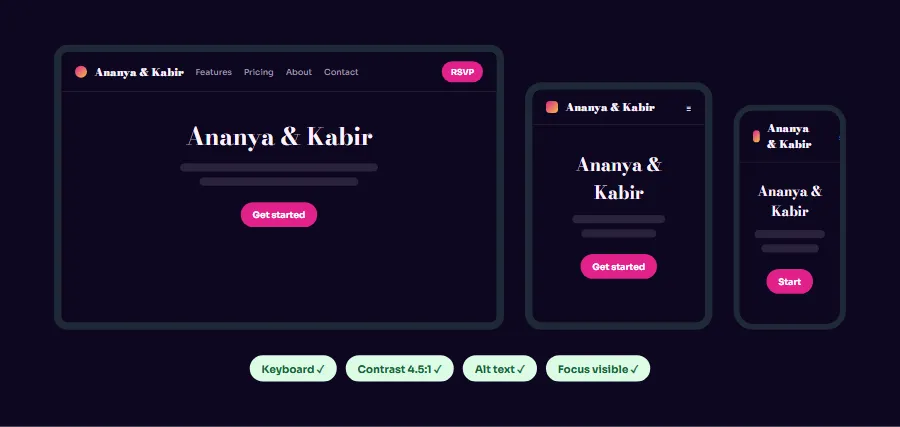
Copy step 14, paste it into your AI tool in the same chat, and you will get a result like the preview, in your own colours and content.
Show the prompt for step 14
Project recap: we are building Ananya & Kabir — A glamorous sangeet night website: velvet curtains open on a stage of lights and a disco ball, the family performance line-up slides sideways, a dhol scene builds the beat, plus song requests and an RSVP. Stack: HTML, CSS, GSAP ScrollTrigger & Lenis. Keep using the design system, colours, fonts and components we already created; do not rewrite earlier sections.

Review the whole page and fix problems. Go through it at 360px, 768px, 1024px and 1440px widths and check:
- No horizontal scrolling, nothing overlapping, text never cut off, tap targets at least 44px.
- One h1 per page and a logical heading order; landmarks (header, nav, main, footer).
- Every image has meaningful alt text (or empty alt if decorative); every form field has a label and error messages are announced.
- Everything works with the keyboard alone, focus is always visible, and menus/accordions/modals manage focus and close with Escape.
- Colour contrast of at least 4.5:1 for body text.
List each issue you found and the fix, then show the changed code.
SEO and performance
Search-friendly metadata, social previews and fast loading.
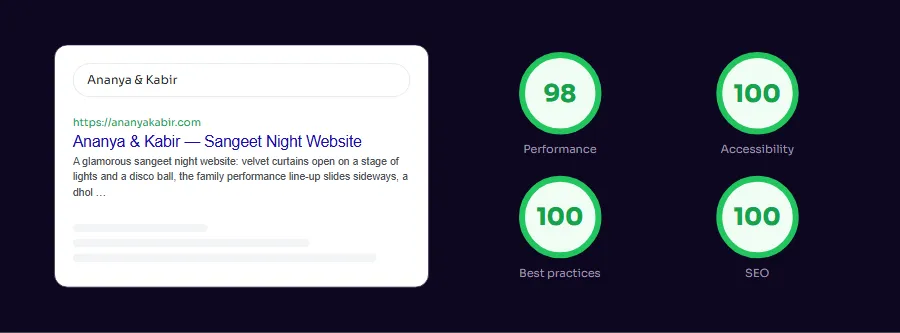
Copy step 15, paste it into your AI tool in the same chat, and you will get a result like the preview, in your own colours and content.
Show the prompt for step 15
Project recap: we are building Ananya & Kabir — A glamorous sangeet night website: velvet curtains open on a stage of lights and a disco ball, the family performance line-up slides sideways, a dhol scene builds the beat, plus song requests and an RSVP. Stack: HTML, CSS, GSAP ScrollTrigger & Lenis. Keep using the design system, colours, fonts and components we already created; do not rewrite earlier sections.

Prepare the page for search engines and fast loading:
- <title>, meta description, canonical, Open Graph and Twitter card tags.
- JSON-LD structured data that fits Ananya & Kabir.
- Width/height on every image, loading="lazy" below the fold, and compressed images.
- Defer non-critical JavaScript and inline only the critical CSS.
Then tell me how to check the result with Lighthouse and what score to aim for.
Launch
The website live on the internet with your own domain.
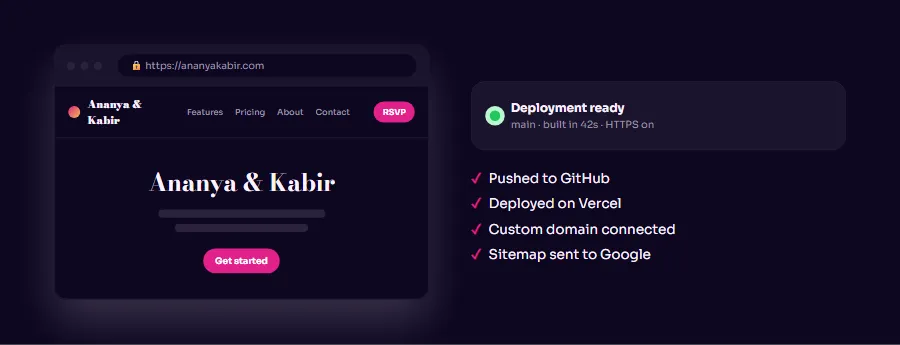
Copy step 16, paste it into your AI tool in the same chat, and you will get a result like the preview, in your own colours and content.
Show the prompt for step 16
Project recap: we are building Ananya & Kabir — A glamorous sangeet night website: velvet curtains open on a stage of lights and a disco ball, the family performance line-up slides sideways, a dhol scene builds the beat, plus song requests and an RSVP. Stack: HTML, CSS, GSAP ScrollTrigger & Lenis. Keep using the design system, colours, fonts and components we already created; do not rewrite earlier sections.

The page is ready. Walk me through launching it, step by step, for a beginner:
1. Deploy the files for free on Netlify (drag-and-drop) or GitHub Pages.
2. Connect a custom domain and set up HTTPS.
5. Submit the sitemap to Google Search Console.
6. A final pre-launch checklist: replace all sample text, images, prices and contact details with real ones, test every link and form, and check it on a real phone.
Or: the one-shot prompt
Prefer to generate the home page in one go? Copy everything in the box. It works best in tools that can write many files at once (Cursor, Claude Code, v0, Bolt). Text in quotes and the sample business details are meant to be replaced with your own.
Build a one-page sangeet night website for a couple called "Ananya & Kabir": Friday 12 February 2027, 7:30 pm till late, on the lawn of "Lakeview Haveli", Udaipur.

Tech stack: one HTML file with inline CSS and JavaScript. Load GSAP 3.12.5 and ScrollTrigger from cdnjs and Lenis 1.1.13 from jsDelivr, and connect them (lenis.on("scroll", ScrollTrigger.update); gsap.ticker.add(t => lenis.raf(t * 1000)); gsap.ticker.lagSmoothing(0)). Use gsap.matchMedia so phones get lighter versions without pinning.

Visual style: a glamorous night party. Deep night background (#0d0620) with plum (#2a0f4f), light lilac text (#fdf2ff), hot magenta (#e0218a) for buttons and glows, gold (#f5c04a) for highlights and cyan (#36d6e7) as a small accent. Fonts: Bodoni Moda (black and italic) for headings and Sora for body. Soft glows and a light film grain.

Sections, in order:
1. Navbar with event switcher: monogram "A&K", a pill switcher with links to the Haldi, Sangeet and Shaadi pages (Sangeet active), section links and a magenta "RSVP" button.
2. Stage hero with curtains: a scalloped valance at the top, two velvet curtains (CSS folds with a gold fringe), four coloured spotlight beams sweeping from the floor, a perspective neon floor grid, a giant outlined italic "Sangeet", an SVG disco ball with light spots turning around the room, three rows of string lights with glowing bulbs at different depths, and canvas confetti. Headline "Two families, one dance floor", date, venue and two buttons.
3. Intro with event pass: a paragraph, three count-up stats (performances, guests dancing, surprise acts) and a tilted ticket-style "Sangeet pass" with a barcode.
4. Performance line-up: eight act cards (team badge, big italic number, a spotlight cone, an animated equalizer, time, title and a one-line description), for example the bridesmaids' Bollywood medley, the cousins' bhangra battle, the parents' romantic number and the couple's first dance.
5. Dhol beat scene: an SVG dhol with ropes and two sticks, glowing rings around it, a large BPM counter, the current phase (Warm-up, Family acts, Bhangra, Open floor) with a description, a 34-bar equalizer and phase chips.
6. Mehendi corner: a henna photo in an arched frame with gold paisley line art around it, a paragraph and three time slots.
7. Song requests: a form with a song name field and vibe chips (Bollywood, Bhangra, Garba, Retro, Slow dance) that adds the song to a numbered request list on the page.
8. Dress code & running order: four jewel-tone swatches (emerald, ruby, sapphire, gold) and a four-step agenda.
9. RSVP with countdown: a live countdown, venue card and a form (name, phone, guests, side, "I'm performing" checkbox, act name, note) that validates and shows a message.
10. Footer: two cards linking to the Haldi and Shaadi pages and a giant outlined "Sangeet" with a pink glow.

Interactions: on load the curtains settle and the Sangeet letters flicker on like neon. The hero is pinned for 130% and scrolling opens the curtains fully, spreads the letters, moves each row of lights at its own speed and fades the copy. The line-up is pinned and scrolls sideways, with each card rotating as it crosses the screen. The dhol scene is pinned for about 220%: the sticks strike, rings pulse out, the BPM counts from 72 to 148, the phase changes every quarter and the equalizer grows. The mehendi photo is revealed by a growing circle while the paisleys draw themselves. Under prefers-reduced-motion show every scene in its final state.

Quality bar:
- Fully responsive: design mobile-first, then tablet (768px) and desktop (1200px).
- Accessible: semantic HTML landmarks, one h1, alt text on images, visible keyboard focus, colour contrast of at least 4.5:1 for body text.
- Fast: no heavy libraries, lazy-load images below the fold, system or two web fonts at most.
- Use placeholder images from a neutral source and realistic sample copy (no lorem ipsum).
- Respect prefers-reduced-motion for every animation.
- Keep the code clean and commented so I can edit it by hand.
How to use these prompts
- 1
Open an AI coding tool. Use any capable assistant: Claude, ChatGPT, Cursor, v0, Bolt, Gemini. Tools that can create files (Cursor, Claude Code, v0, Bolt) are the most convenient because they write the project for you.
- 2
Replace the sample details. Copy the prompt and change the business name, location, colours and any section you do not need. The more specific your details, the better the result.
- 3
Paste the prompts one by one. Start with step 1 of the step-by-step build and send each next step only when the previous one works. If a reply is cut off, say “continue from where you stopped”. Or send the one-shot prompt if you want the whole home page at once.
- 4
Run it on your computer. Save the result as index.html and open it in your browser. No installation is needed.
- 5
Review and refine. Check it on a phone-width screen, fix anything that looks off by describing it in plain words, then use the follow-up prompts below to add features one at a time.
- 6
Replace placeholders and publish. Swap in your real text and images, then deploy. Vercel and Netlify both host this kind of site for free.
Follow-up prompts
Send these one at a time after the first version is working. Small, specific requests give much better results than one giant prompt.
Add a voting section where guests pick their favourite performance and see live percentage bars (local state only).
Store the song requests in localStorage so they survive a page refresh.
Add a dark-to-light 'lights on' toggle for guests reading the page in daylight.
Add a short countdown overlay that plays when the page first loads, then reveals the stage.
Tips for a better result
- Ask for the stage hero first and get the curtains, lights and beams right before anything else.
- Use real performance names from your family group chat; it makes the page feel personal instantly.
- Want to hand-build a section instead? The Templates library has heroes, pricing tables, FAQs and more with full code.