Beach Resort & Hotel
A relaxed, premium website for a beach resort or boutique hotel with a date-and-guests booking bar, room cards, experiences, dining, reviews and seasonal offers.
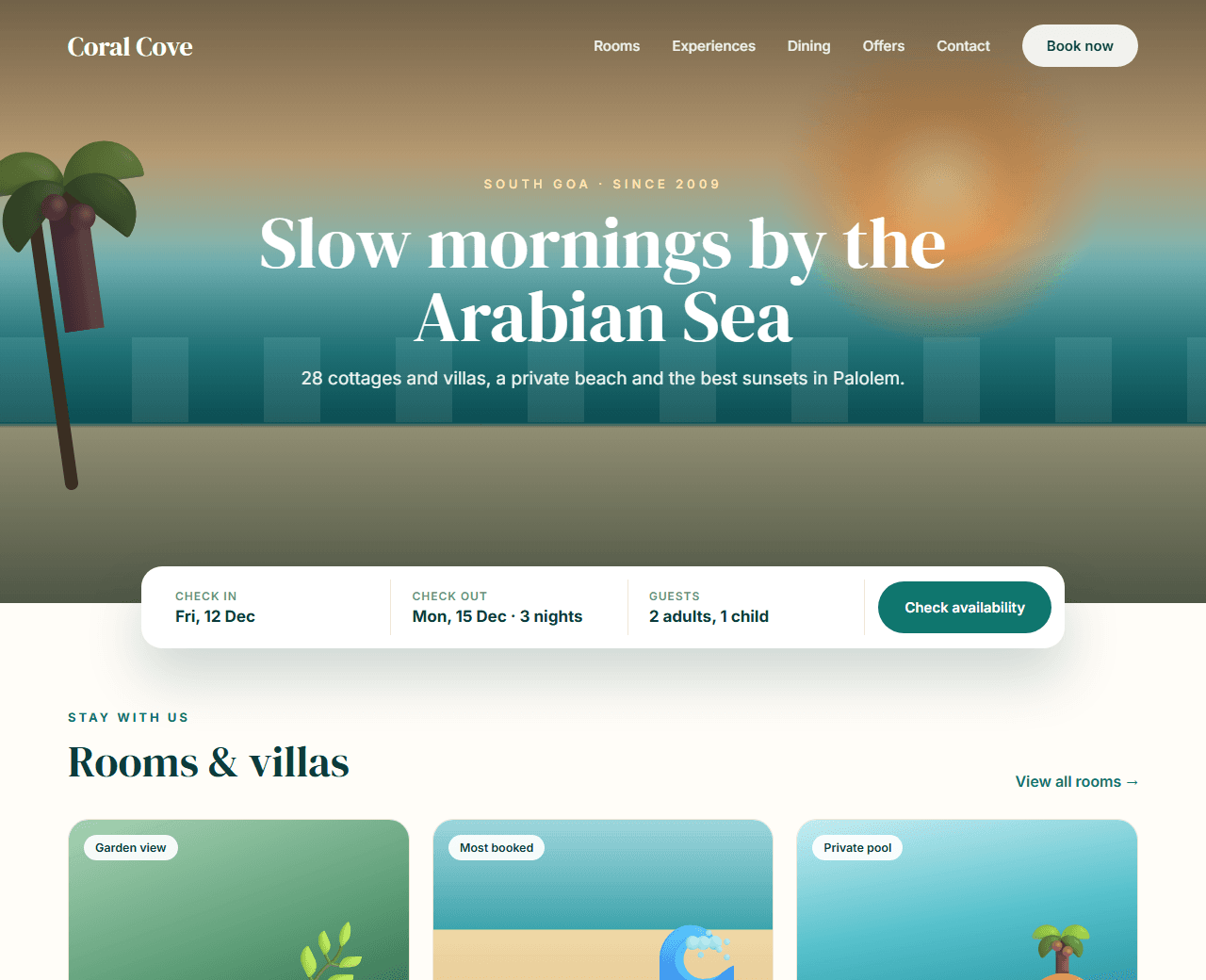
Example of the website this prompt builds. Your result will use your own name, text and images.
- Tech stack
- Next.js (App Router) + Tailwind CSS
- Colour palette
#fffdf8#0b3b3c#0f766e#f59e0b
- What it builds
- Navbar with Book now
- Hero with booking bar
- Room types
- Experiences
- Dining
- Guest reviews
- Offers
- Location
- Footer
Build the whole website step by step
17 prompts, in order. Paste step 1 into Claude, ChatGPT, Cursor or any AI coding tool, wait until that part works, then paste the next one in the same chat. Each step builds one piece: the project setup, every section of the home page, the extra pages a real Hospitality website needs, and finally polish, SEO and launch. Type your business name and colours in "Make it yours" first and every prompt updates for you. Tick off steps as you go; your progress is saved in this browser.
Make it yours
Fill in your own details and every prompt below updates, so you don't have to edit them by hand. All fields are optional.
Setup1 step
Set up the project and design systemUp next
A running Next.js app with colours, fonts and reusable UI components, ready for sections.
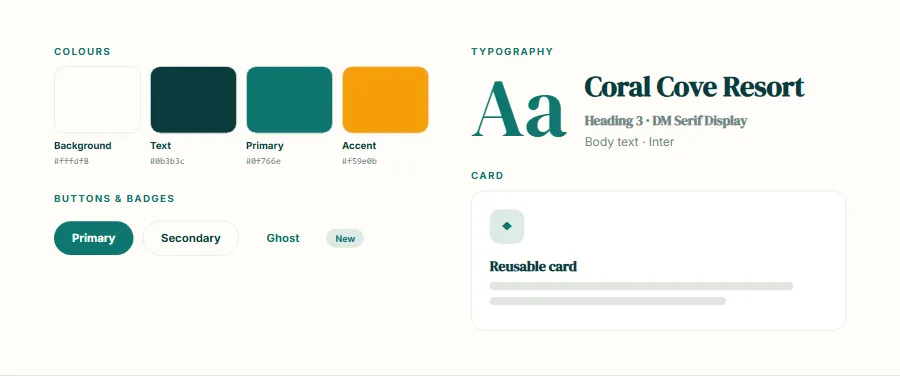
Copy step 1, paste it into your AI tool in the same chat, and you will get a result like the preview.
Show the prompt for step 1
Build a complete website for a boutique beach resort called "Coral Cove Resort" in South Goa, India.

We will build this step by step. In this first step, ONLY set up the project and the design system — do not build any page sections yet.

Tech stack: Next.js (App Router) with Tailwind CSS. Split the page into components in a components/ folder. Server Components by default; add "use client" only for the booking bar, gallery and carousel.

Visual style: calm and premium. Warm off-white background (#fffdf8), deep sea-green text (#0b3b3c), teal (#0f766e) for buttons and links, and sunset amber (#f59e0b) as a small accent. An elegant serif for headings (such as DM Serif Display) with a clean sans-serif for body text. Large photos, soft rounded corners and plenty of white space.

Do the following:
1. Give me the exact commands to create the project (npx create-next-app@latest with the App Router, JavaScript or TypeScript, Tailwind CSS, ESLint) and how to run it.
2. Set up the colour palette (#fffdf8, #0b3b3c, #0f766e, #f59e0b) as Tailwind theme colours / CSS variables with clear names (background, text, primary, accent, muted, border).
3. Load the fonts with next/font and set the base typography scale (h1–h4, body, small).
4. Create reusable components in components/ui: Container, SectionHeading (eyebrow + title + subtitle), Button (primary, secondary, ghost; sizes), Card and Badge.
5. Create app/layout.js with the font, metadata placeholders and a <main> wrapper, and an app/page.js that shows a temporary list of the sections we will build: Navbar, Hero, Room types, Experiences, Dining, Guest reviews, Offers, Location, Footer.
6. Show the final folder structure.

Explain briefly what each file does. Keep the code clean and commented.
Home page10 steps
Navbar
Logo, links (Rooms, Experiences, Dining, Offers, Contact) and a "Book now" button.
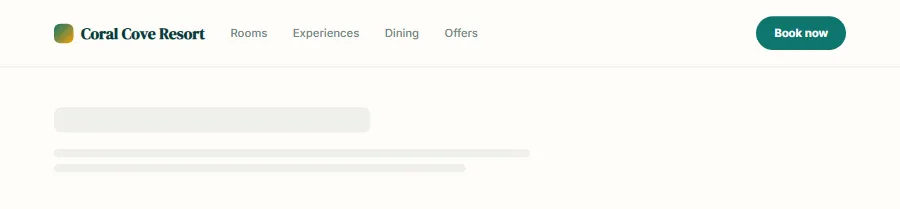
Copy step 2, paste it into your AI tool in the same chat, and you will get a result like the preview, in your own colours and content.
Show the prompt for step 2
Project recap: we are building Coral Cove Resort — A relaxed, premium website for a beach resort or boutique hotel with a date-and-guests booking bar, room cards, experiences, dining, reviews and seasonal offers. Stack: Next.js (App Router) + Tailwind CSS. Keep using the design system, colours, fonts and components we already created; do not rewrite earlier sections.

Now build ONLY section 1 of 9: Navbar.

Requirements:
logo, links (Rooms, Experiences, Dining, Offers, Contact) and a "Book now" button. Transparent over the hero, solid white after scrolling.

Create it as components/Navbar.jsx (a Server Component unless it needs state or event handlers — then add "use client" and keep the interactive part as small as possible), and add it to app/page.js in position 1.

Rules:
- Use only the existing design tokens and UI components; add new tokens only if truly needed and tell me.
- Mobile-first and responsive at 375px, 768px and 1200px+.
- Accessible: semantic elements, correct heading level (only the hero uses h1), alt text, keyboard focus styles, labels on any form fields.
- Realistic sample content for Coral Cove Resort (no lorem ipsum).
- Show me the complete code for every file you create or change.
Hero
Full-width beach photo with a soft dark gradient, headline "Slow mornings by the Arabian Sea", one supporting line,…
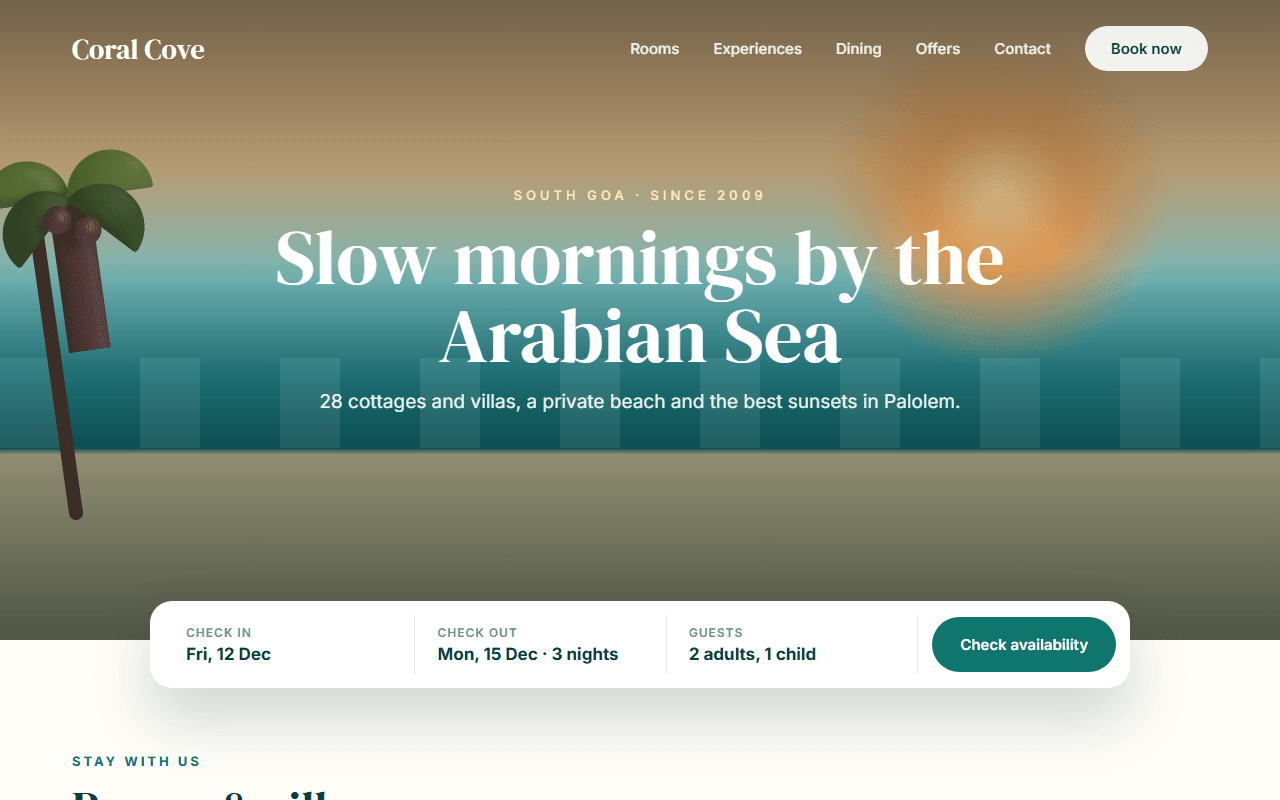
Copy step 3, paste it into your AI tool in the same chat, and you will get a result like the preview, in your own colours and content.
Show the prompt for step 3
Project recap: we are building Coral Cove Resort — A relaxed, premium website for a beach resort or boutique hotel with a date-and-guests booking bar, room cards, experiences, dining, reviews and seasonal offers. Stack: Next.js (App Router) + Tailwind CSS. Keep using the design system, colours, fonts and components we already created; do not rewrite earlier sections.

Now build ONLY section 2 of 9: Hero.

Requirements:
full-width beach photo with a soft dark gradient, headline "Slow mornings by the Arabian Sea", one supporting line, and a booking bar with check-in date, check-out date, guests and a "Check availability" button.

Create it as components/Hero.jsx (a Server Component unless it needs state or event handlers — then add "use client" and keep the interactive part as small as possible), and add it to app/page.js in position 2.

Rules:
- Use only the existing design tokens and UI components; add new tokens only if truly needed and tell me.
- Mobile-first and responsive at 375px, 768px and 1200px+.
- Accessible: semantic elements, correct heading level (only the hero uses h1), alt text, keyboard focus styles, labels on any form fields.
- Realistic sample content for Coral Cove Resort (no lorem ipsum).
- Show me the complete code for every file you create or change.
Room types
Three room cards (Garden Cottage, Sea-view Suite, Private Pool Villa) with photo, size in sq ft, guests, three…
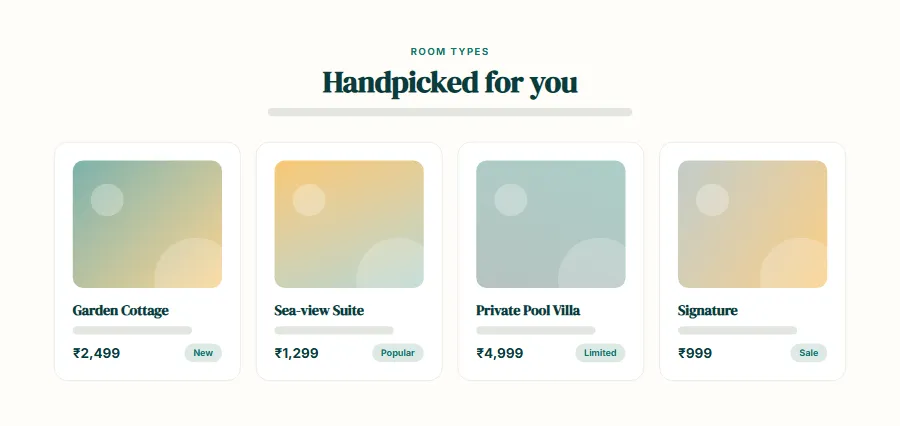
Copy step 4, paste it into your AI tool in the same chat, and you will get a result like the preview, in your own colours and content.
Show the prompt for step 4
Project recap: we are building Coral Cove Resort — A relaxed, premium website for a beach resort or boutique hotel with a date-and-guests booking bar, room cards, experiences, dining, reviews and seasonal offers. Stack: Next.js (App Router) + Tailwind CSS. Keep using the design system, colours, fonts and components we already created; do not rewrite earlier sections.

Now build ONLY section 3 of 9: Room types.

Requirements:
three room cards (Garden Cottage, Sea-view Suite, Private Pool Villa) with photo, size in sq ft, guests, three amenities and the price per night in rupees.

Create it as components/RoomTypes.jsx (a Server Component unless it needs state or event handlers — then add "use client" and keep the interactive part as small as possible), and add it to app/page.js in position 3.

Rules:
- Use only the existing design tokens and UI components; add new tokens only if truly needed and tell me.
- Mobile-first and responsive at 375px, 768px and 1200px+.
- Accessible: semantic elements, correct heading level (only the hero uses h1), alt text, keyboard focus styles, labels on any form fields.
- Realistic sample content for Coral Cove Resort (no lorem ipsum).
- Show me the complete code for every file you create or change.
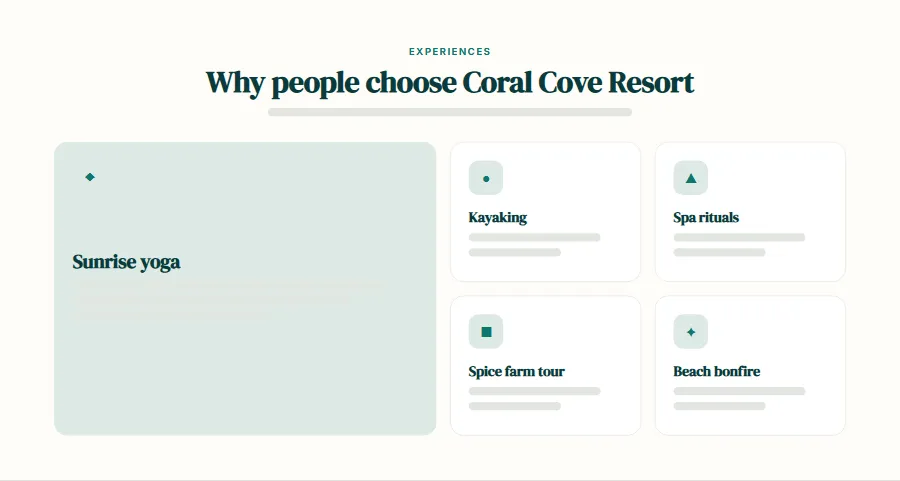
Experiences
A grid of six experiences (Sunrise yoga, Kayaking, Spa rituals, Spice farm tour, Beach bonfire, Cooking class) with…
Copy step 5, paste it into your AI tool in the same chat, and you will get a result like the preview, in your own colours and content.
Show the prompt for step 5
Project recap: we are building Coral Cove Resort — A relaxed, premium website for a beach resort or boutique hotel with a date-and-guests booking bar, room cards, experiences, dining, reviews and seasonal offers. Stack: Next.js (App Router) + Tailwind CSS. Keep using the design system, colours, fonts and components we already created; do not rewrite earlier sections.

Now build ONLY section 4 of 9: Experiences.

Requirements:
a grid of six experiences (Sunrise yoga, Kayaking, Spa rituals, Spice farm tour, Beach bonfire, Cooking class) with icons and one line each.

Create it as components/Experiences.jsx (a Server Component unless it needs state or event handlers — then add "use client" and keep the interactive part as small as possible), and add it to app/page.js in position 4.

Rules:
- Use only the existing design tokens and UI components; add new tokens only if truly needed and tell me.
- Mobile-first and responsive at 375px, 768px and 1200px+.
- Accessible: semantic elements, correct heading level (only the hero uses h1), alt text, keyboard focus styles, labels on any form fields.
- Realistic sample content for Coral Cove Resort (no lorem ipsum).
- Show me the complete code for every file you create or change.
Dining
Two columns with the restaurant photo on one side and the story, timings and a "View menu" link on the other.
Copy step 6, paste it into your AI tool in the same chat, and you will get a result like the preview, in your own colours and content.
Show the prompt for step 6
Project recap: we are building Coral Cove Resort — A relaxed, premium website for a beach resort or boutique hotel with a date-and-guests booking bar, room cards, experiences, dining, reviews and seasonal offers. Stack: Next.js (App Router) + Tailwind CSS. Keep using the design system, colours, fonts and components we already created; do not rewrite earlier sections.

Now build ONLY section 5 of 9: Dining.

Requirements:
two columns with the restaurant photo on one side and the story, timings and a "View menu" link on the other.

Create it as components/Dining.jsx (a Server Component unless it needs state or event handlers — then add "use client" and keep the interactive part as small as possible), and add it to app/page.js in position 5.

Rules:
- Use only the existing design tokens and UI components; add new tokens only if truly needed and tell me.
- Mobile-first and responsive at 375px, 768px and 1200px+.
- Accessible: semantic elements, correct heading level (only the hero uses h1), alt text, keyboard focus styles, labels on any form fields.
- Realistic sample content for Coral Cove Resort (no lorem ipsum).
- Show me the complete code for every file you create or change.
Guest reviews
Three reviews with star rating, guest name, city and stay date, plus an overall rating badge (4.8 from 1,200+ reviews).
Copy step 7, paste it into your AI tool in the same chat, and you will get a result like the preview, in your own colours and content.
Show the prompt for step 7
Project recap: we are building Coral Cove Resort — A relaxed, premium website for a beach resort or boutique hotel with a date-and-guests booking bar, room cards, experiences, dining, reviews and seasonal offers. Stack: Next.js (App Router) + Tailwind CSS. Keep using the design system, colours, fonts and components we already created; do not rewrite earlier sections.

Now build ONLY section 6 of 9: Guest reviews.

Requirements:
three reviews with star rating, guest name, city and stay date, plus an overall rating badge (4.8 from 1,200+ reviews).

Create it as components/GuestReviews.jsx (a Server Component unless it needs state or event handlers — then add "use client" and keep the interactive part as small as possible), and add it to app/page.js in position 6.

Rules:
- Use only the existing design tokens and UI components; add new tokens only if truly needed and tell me.
- Mobile-first and responsive at 375px, 768px and 1200px+.
- Accessible: semantic elements, correct heading level (only the hero uses h1), alt text, keyboard focus styles, labels on any form fields.
- Realistic sample content for Coral Cove Resort (no lorem ipsum).
- Show me the complete code for every file you create or change.
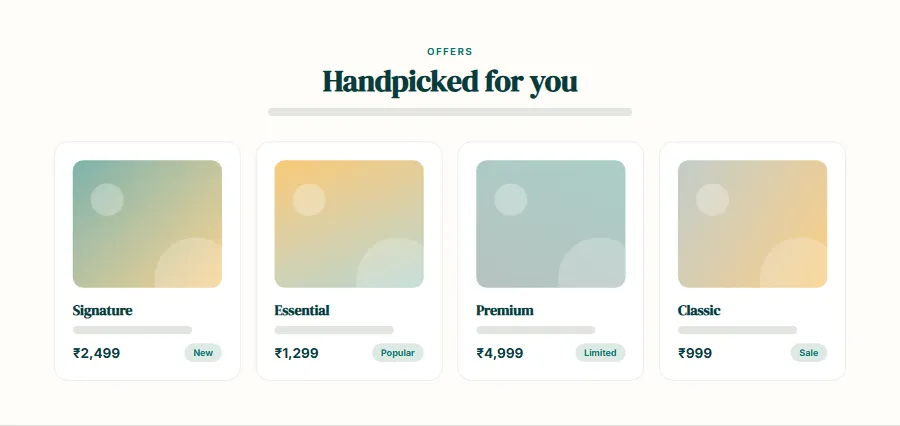
Offers
Two highlighted offer cards ("Monsoon escape: 3 nights for the price of 2" and "Honeymoon package") with validity…
Copy step 8, paste it into your AI tool in the same chat, and you will get a result like the preview, in your own colours and content.
Show the prompt for step 8
Project recap: we are building Coral Cove Resort — A relaxed, premium website for a beach resort or boutique hotel with a date-and-guests booking bar, room cards, experiences, dining, reviews and seasonal offers. Stack: Next.js (App Router) + Tailwind CSS. Keep using the design system, colours, fonts and components we already created; do not rewrite earlier sections. Now build ONLY section 7 of 9: Offers. Requirements: two highlighted offer cards ("Monsoon escape: 3 nights for the price of 2" and "Honeymoon package") with validity dates and a button. Create it as components/Offers.jsx (a Server Component unless it needs state or event handlers — then add "use client" and keep the interactive part as small as possible), and add it to app/page.js in position 7. Rules: - Use only the existing design tokens and UI components; add new tokens only if truly needed and tell me. - Mobile-first and responsive at 375px, 768px and 1200px+. - Accessible: semantic elements, correct heading level (only the hero uses h1), alt text, keyboard focus styles, labels on any form fields. - Realistic sample content for Coral Cove Resort (no lorem ipsum). - Show me the complete code for every file you create or change.Location
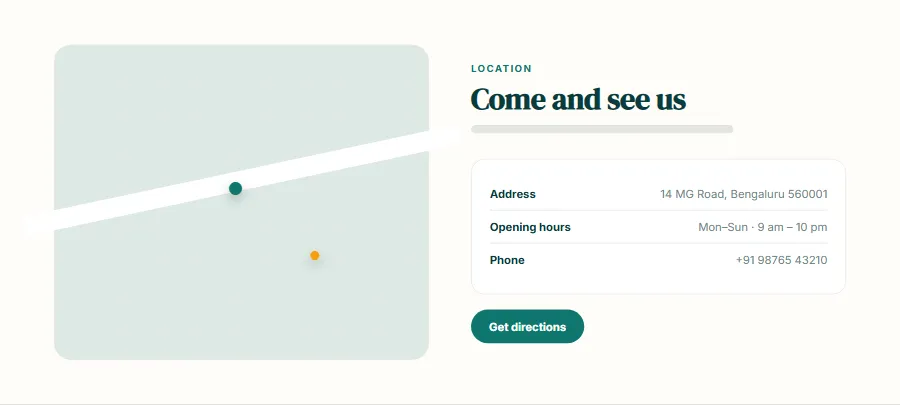
Map placeholder, address, distance from Goa airport, check-in and check-out times and a "Get directions" button.
Copy step 9, paste it into your AI tool in the same chat, and you will get a result like the preview, in your own colours and content.
Show the prompt for step 9
Project recap: we are building Coral Cove Resort — A relaxed, premium website for a beach resort or boutique hotel with a date-and-guests booking bar, room cards, experiences, dining, reviews and seasonal offers. Stack: Next.js (App Router) + Tailwind CSS. Keep using the design system, colours, fonts and components we already created; do not rewrite earlier sections.

Now build ONLY section 8 of 9: Location.

Requirements:
map placeholder, address, distance from Goa airport, check-in and check-out times and a "Get directions" button.

Create it as components/Location.jsx (a Server Component unless it needs state or event handlers — then add "use client" and keep the interactive part as small as possible), and add it to app/page.js in position 8.

Rules:
- Use only the existing design tokens and UI components; add new tokens only if truly needed and tell me.
- Mobile-first and responsive at 375px, 768px and 1200px+.
- Accessible: semantic elements, correct heading level (only the hero uses h1), alt text, keyboard focus styles, labels on any form fields.
- Realistic sample content for Coral Cove Resort (no lorem ipsum).
- Show me the complete code for every file you create or change.
Footer
Logo, contact details, social links, quick links and a newsletter field.
Copy step 10, paste it into your AI tool in the same chat, and you will get a result like the preview, in your own colours and content.
Show the prompt for step 10
Project recap: we are building Coral Cove Resort — A relaxed, premium website for a beach resort or boutique hotel with a date-and-guests booking bar, room cards, experiences, dining, reviews and seasonal offers. Stack: Next.js (App Router) + Tailwind CSS. Keep using the design system, colours, fonts and components we already created; do not rewrite earlier sections.

Now build ONLY section 9 of 9: Footer.

Requirements:
logo, contact details, social links, quick links and a newsletter field.

Create it as components/Footer.jsx (a Server Component unless it needs state or event handlers — then add "use client" and keep the interactive part as small as possible), and add it to app/page.js in position 9.

Rules:
- Use only the existing design tokens and UI components; add new tokens only if truly needed and tell me.
- Mobile-first and responsive at 375px, 768px and 1200px+.
- Accessible: semantic elements, correct heading level (only the hero uses h1), alt text, keyboard focus styles, labels on any form fields.
- Realistic sample content for Coral Cove Resort (no lorem ipsum).
- Show me the complete code for every file you create or change.
Interactions and animation
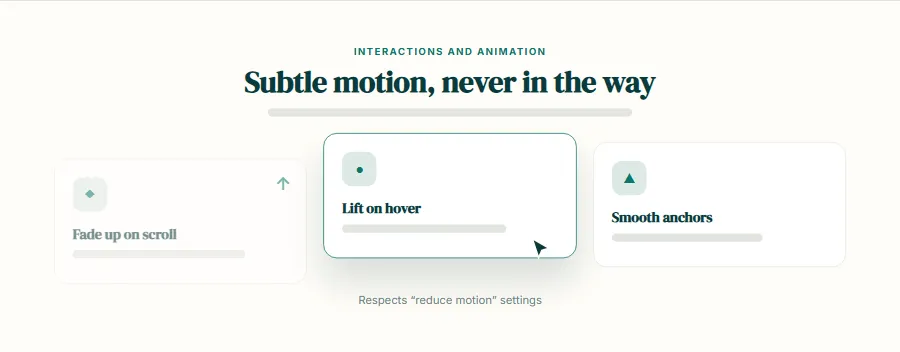
Hover states, scroll reveals and any interactive behaviour, without hurting performance.
Copy step 11, paste it into your AI tool in the same chat, and you will get a result like the preview, in your own colours and content.
Show the prompt for step 11
Project recap: we are building Coral Cove Resort — A relaxed, premium website for a beach resort or boutique hotel with a date-and-guests booking bar, room cards, experiences, dining, reviews and seasonal offers. Stack: Next.js (App Router) + Tailwind CSS. Keep using the design system, colours, fonts and components we already created; do not rewrite earlier sections.

All sections are built. Now add the interactions and animation layer.

Required behaviour:
the booking bar validates that check-out is after check-in and shows the number of nights; room cards zoom their photo slightly on hover; sections fade in as they scroll into view.

Also:
- Subtle hover and focus states on every link, button and card.
- Elements fade and slide up slightly as they scroll into view (IntersectionObserver in one small client component); run each animation once.
- Smooth scrolling for in-page links, with an offset for the sticky header.
- Every animation must be disabled when the user has prefers-reduced-motion set.
- Do not add heavy animation libraries. Show the full code of each changed file.
More pages3 steps
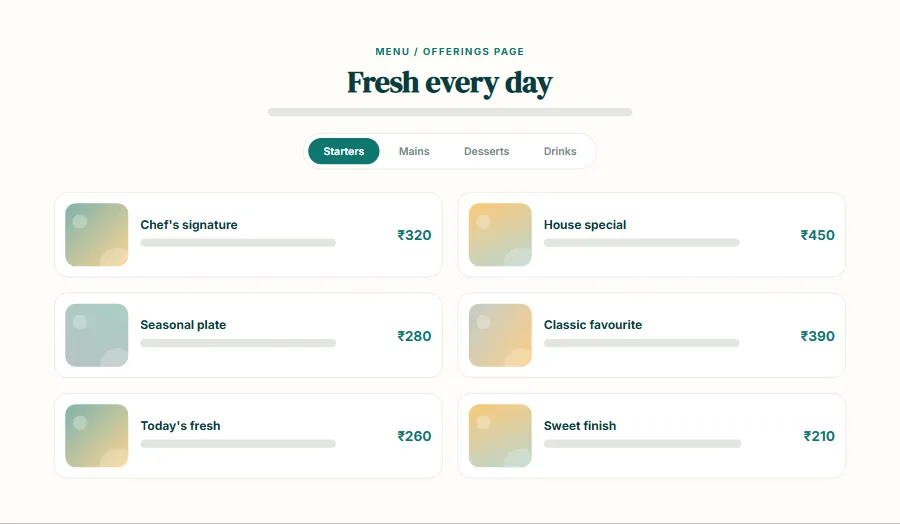
Menu / offerings page
A new /menu page that matches the rest of the site.
Copy step 12, paste it into your AI tool in the same chat, and you will get a result like the preview, in your own colours and content.
Show the prompt for step 12
Project recap: we are building Coral Cove Resort — A relaxed, premium website for a beach resort or boutique hotel with a date-and-guests booking bar, room cards, experiences, dining, reviews and seasonal offers. Stack: Next.js (App Router) + Tailwind CSS. Keep using the design system, colours, fonts and components we already created; do not rewrite earlier sections.

The home page is finished. Now add a full menu or offerings page grouped by category with prices in ₹, dietary tags and a sticky category navigation.

Route: /menu.
- Move the Navbar and Footer into app/layout.js (if not already there) so every page shares them, and add a link to this page in the navigation.
- Put shared mock data in a lib/ or data/ file, not inside the component.
- Give the page its own metadata (title and description).
- Same design system and components, responsive and accessible as before.
- Show the full code for every new or changed file.
Booking / reservation page
A new /book page that matches the rest of the site.
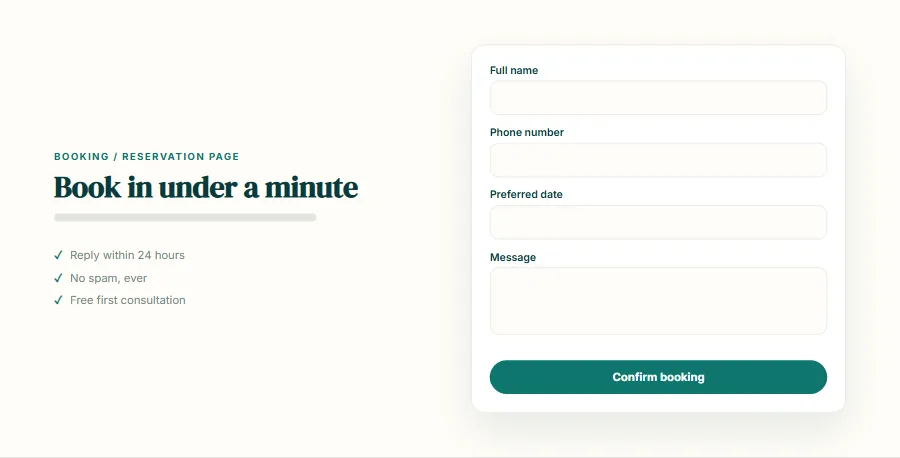
Copy step 13, paste it into your AI tool in the same chat, and you will get a result like the preview, in your own colours and content.
Show the prompt for step 13
Project recap: we are building Coral Cove Resort — A relaxed, premium website for a beach resort or boutique hotel with a date-and-guests booking bar, room cards, experiences, dining, reviews and seasonal offers. Stack: Next.js (App Router) + Tailwind CSS. Keep using the design system, colours, fonts and components we already created; do not rewrite earlier sections.

The home page is finished. Now add a booking form with date, time, number of guests, name and phone, client-side validation and a confirmation screen (no real backend yet).

Route: /book.
- Move the Navbar and Footer into app/layout.js (if not already there) so every page shares them, and add a link to this page in the navigation.
- Put shared mock data in a lib/ or data/ file, not inside the component.
- Give the page its own metadata (title and description).
- Same design system and components, responsive and accessible as before.
- Show the full code for every new or changed file.
About and gallery
A new /about page that matches the rest of the site.
Copy step 14, paste it into your AI tool in the same chat, and you will get a result like the preview, in your own colours and content.
Show the prompt for step 14
Project recap: we are building Coral Cove Resort — A relaxed, premium website for a beach resort or boutique hotel with a date-and-guests booking bar, room cards, experiences, dining, reviews and seasonal offers. Stack: Next.js (App Router) + Tailwind CSS. Keep using the design system, colours, fonts and components we already created; do not rewrite earlier sections.

The home page is finished. Now add the story, team and a responsive photo gallery with a lightbox.

Route: /about.
- Move the Navbar and Footer into app/layout.js (if not already there) so every page shares them, and add a link to this page in the navigation.
- Put shared mock data in a lib/ or data/ file, not inside the component.
- Give the page its own metadata (title and description).
- Same design system and components, responsive and accessible as before.
- Show the full code for every new or changed file.
Polish and launch3 steps
Responsive and accessibility review
A page that works on every screen size and with a keyboard or screen reader.
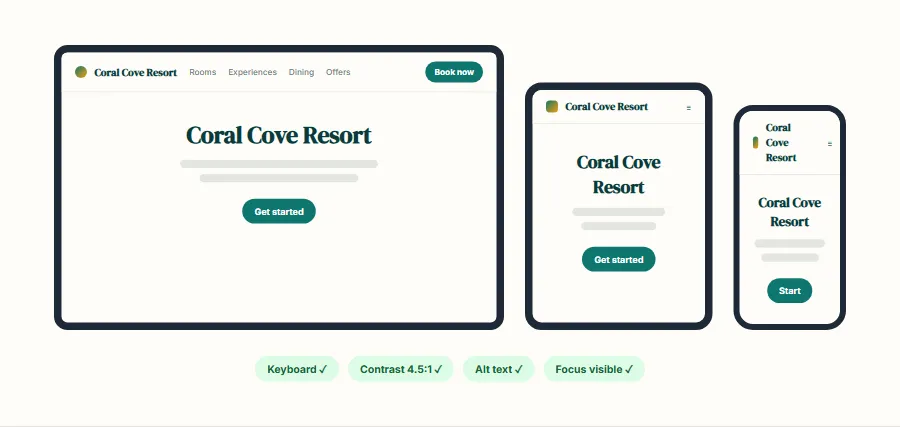
Copy step 15, paste it into your AI tool in the same chat, and you will get a result like the preview, in your own colours and content.
Show the prompt for step 15
Project recap: we are building Coral Cove Resort — A relaxed, premium website for a beach resort or boutique hotel with a date-and-guests booking bar, room cards, experiences, dining, reviews and seasonal offers. Stack: Next.js (App Router) + Tailwind CSS. Keep using the design system, colours, fonts and components we already created; do not rewrite earlier sections.

Review the whole site and fix problems. Go through it at 360px, 768px, 1024px and 1440px widths and check:
- No horizontal scrolling, nothing overlapping, text never cut off, tap targets at least 44px.
- One h1 per page and a logical heading order; landmarks (header, nav, main, footer).
- Every image has meaningful alt text (or empty alt if decorative); every form field has a label and error messages are announced.
- Everything works with the keyboard alone, focus is always visible, and menus/accordions/modals manage focus and close with Escape.
- Colour contrast of at least 4.5:1 for body text.
List each issue you found and the fix, then show the changed code.
SEO and performance
Search-friendly metadata, social previews and fast loading.
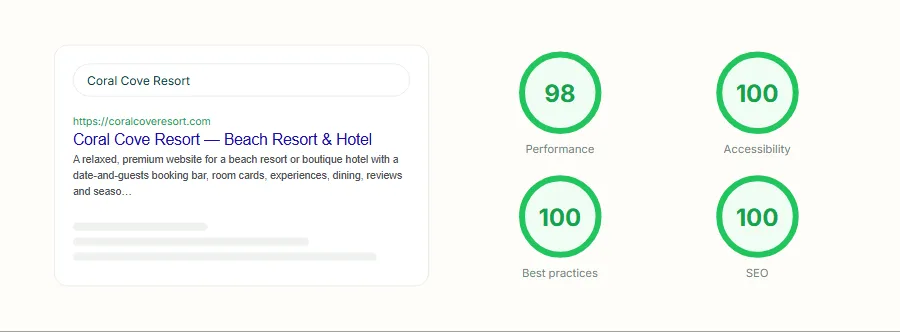
Copy step 16, paste it into your AI tool in the same chat, and you will get a result like the preview, in your own colours and content.
Show the prompt for step 16
Project recap: we are building Coral Cove Resort — A relaxed, premium website for a beach resort or boutique hotel with a date-and-guests booking bar, room cards, experiences, dining, reviews and seasonal offers. Stack: Next.js (App Router) + Tailwind CSS. Keep using the design system, colours, fonts and components we already created; do not rewrite earlier sections.

Prepare the site for search engines and fast loading:
- Metadata for every page (title, description, canonical, Open Graph and Twitter card) using the Metadata API, and a title template.
- app/sitemap.js and app/robots.js.
- JSON-LD structured data that fits Coral Cove Resort (Organization or LocalBusiness, plus FAQPage if there is an FAQ).
- Use next/image with correct sizes for every image, preload only the hero image, and lazy-load the rest.
- Make sure no component is a Client Component unless it needs to be.
Then tell me how to check the result with Lighthouse and what score to aim for.
Launch
The website live on the internet with your own domain.
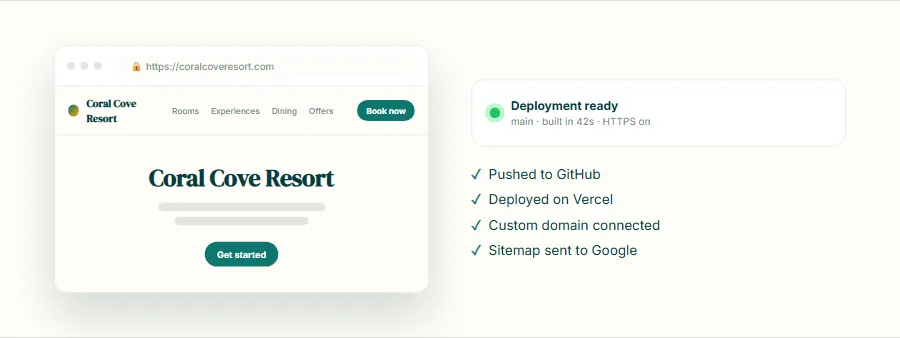
Copy step 17, paste it into your AI tool in the same chat, and you will get a result like the preview, in your own colours and content.
Show the prompt for step 17
Project recap: we are building Coral Cove Resort — A relaxed, premium website for a beach resort or boutique hotel with a date-and-guests booking bar, room cards, experiences, dining, reviews and seasonal offers. Stack: Next.js (App Router) + Tailwind CSS. Keep using the design system, colours, fonts and components we already created; do not rewrite earlier sections.

The site is ready. Walk me through launching it, step by step, for a beginner:
1. Push the project to a new GitHub repository (exact git commands).
2. Deploy it on Vercel (free plan) from that repository.
3. Connect a custom domain and set up HTTPS.
4. Add any environment variables the project needs.
5. Submit the sitemap to Google Search Console.
6. A final pre-launch checklist: replace all sample text, images, prices and contact details with real ones, test every link and form, and check it on a real phone.
Or: the one-shot prompt
Prefer to generate the home page in one go? Copy everything in the box. It works best in tools that can write many files at once (Cursor, Claude Code, v0, Bolt). Text in quotes and the sample business details are meant to be replaced with your own.
Build a complete website for a boutique beach resort called "Coral Cove Resort" in South Goa, India.

Tech stack: Next.js (App Router) with Tailwind CSS. Split the page into components in a components/ folder. Server Components by default; add "use client" only for the booking bar, gallery and carousel.

Visual style: calm and premium. Warm off-white background (#fffdf8), deep sea-green text (#0b3b3c), teal (#0f766e) for buttons and links, and sunset amber (#f59e0b) as a small accent. An elegant serif for headings (such as DM Serif Display) with a clean sans-serif for body text. Large photos, soft rounded corners and plenty of white space.

Sections, in order:
1. Navbar: logo, links (Rooms, Experiences, Dining, Offers, Contact) and a "Book now" button. Transparent over the hero, solid white after scrolling.
2. Hero: full-width beach photo with a soft dark gradient, headline "Slow mornings by the Arabian Sea", one supporting line, and a booking bar with check-in date, check-out date, guests and a "Check availability" button.
3. Room types: three room cards (Garden Cottage, Sea-view Suite, Private Pool Villa) with photo, size in sq ft, guests, three amenities and the price per night in rupees.
4. Experiences: a grid of six experiences (Sunrise yoga, Kayaking, Spa rituals, Spice farm tour, Beach bonfire, Cooking class) with icons and one line each.
5. Dining: two columns with the restaurant photo on one side and the story, timings and a "View menu" link on the other.
6. Guest reviews: three reviews with star rating, guest name, city and stay date, plus an overall rating badge (4.8 from 1,200+ reviews).
7. Offers: two highlighted offer cards ("Monsoon escape: 3 nights for the price of 2" and "Honeymoon package") with validity dates and a button.
8. Location: map placeholder, address, distance from Goa airport, check-in and check-out times and a "Get directions" button.
9. Footer: logo, contact details, social links, quick links and a newsletter field.

Interactions: the booking bar validates that check-out is after check-in and shows the number of nights; room cards zoom their photo slightly on hover; sections fade in as they scroll into view.

Quality bar:
- Fully responsive: design mobile-first, then tablet (768px) and desktop (1200px).
- Accessible: semantic HTML landmarks, one h1, alt text on images, visible keyboard focus, colour contrast of at least 4.5:1 for body text.
- Fast: no heavy libraries, lazy-load images below the fold, system or two web fonts at most.
- Use placeholder images from a neutral source and realistic sample copy (no lorem ipsum).
- Respect prefers-reduced-motion for every animation.
- Keep the code clean and commented so I can edit it by hand.
How to use these prompts
- 1
Open an AI coding tool. Use any capable assistant: Claude, ChatGPT, Cursor, v0, Bolt, Gemini. Tools that can create files (Cursor, Claude Code, v0, Bolt) are the most convenient because they write the project for you.
- 2
Replace the sample details. Copy the prompt and change the business name, location, colours and any section you do not need. The more specific your details, the better the result.
- 3
Paste the prompts one by one. Start with step 1 of the step-by-step build and send each next step only when the previous one works. If a reply is cut off, say “continue from where you stopped”. Or send the one-shot prompt if you want the whole home page at once.
- 4
Run it on your computer. Create a project with “npx create-next-app@latest”, add the generated files, then run “npm run dev” and open http://localhost:3000.
- 5
Review and refine. Check it on a phone-width screen, fix anything that looks off by describing it in plain words, then use the follow-up prompts below to add features one at a time.
- 6
Replace placeholders and publish. Swap in your real text and images, then deploy. Vercel and Netlify both host this kind of site for free.
Follow-up prompts
Send these one at a time after the first version is working. Small, specific requests give much better results than one giant prompt.
Build a /rooms/[slug] page for each room with a photo gallery, full amenity list, a price calendar and a booking form.
Add a multi-step booking flow: dates and room → guest details → review and confirm, with a confirmation screen.
Add Hotel and LocalBusiness JSON-LD with address, price range and aggregate rating.
Add a Hindi language toggle using a simple translations file.
Tips for a better result
- Use your real photos: for a hotel, photography matters more than any other part of the design.
- Keep the booking bar visible in the hero; most visitors come to check dates and prices.
- Want to hand-build a section instead? The Templates library has heroes, pricing tables, FAQs and more with full code.